
 ClickFunnels
US$97/moLaunch
Billed monthlyBuild a campaign landing page
Landing pages from Starter, connected to CRM
View plan and terms ↗Your identity. Your team. Your marketing.
Pages, landing pages and blog articles created from your videos.
Liv · Web & SEO
Present your offer on a clear page and turn videos into articles and episodes. Build a presence your audience can find, read and listen to.
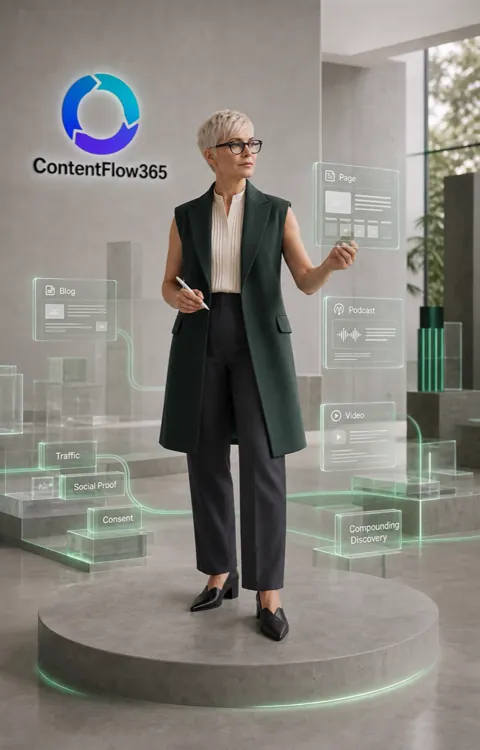
LivOne specialty in your AI team
Fewer tools. More marketing.
ClickFunnelsBuild a campaign landing page
 Jasper
Prepare editorial content
 WordPress
Publish website pages and articles
Host episodes and publish an RSS feed
Your video can also become a blog article and a podcast episode. Landing pages from Starter at €39/month; web and domains from Creator at €99/month; blog and podcast from Pro at €399/month.
See full comparison →One idea. More ways to reach people.
Liv carries your content into your blog, podcast and email. Each format has its assets, review and publishing steps.

Generate a draft and review its content, URL and SEO metadata before publishing.
Organize audio, artwork and descriptions. Publish your RSS feed and review listening by platform.
Prepare the email, select the audience and review delivery with the campaign tools.
Illustrated views. Blog and podcast from Pro. Newsletters use compatible email tools, with sender, audience and delivery configured for your plan. Register your RSS feed with each platform using its instructions.
Cookie banner · From Creator
Customize your banner from one panel. Preview the design and save it to one landing page or copy it across your account.
How the work begins
Decide what the reader should understand and which call to action to use.
Work on your content, design and domain. Turn a video into a blog article.
Check copy, links and metadata. Confirm publication status and configured measurement.
Your tools
In your business
Explain the offer and prepare the next step.
Reuse content for readers who want more time with it.
Connect ad, page and follow-up with the team.
CUSTOMER STORIES
10× its usual performance
His AI-produced video passed 120,000 views. YouTube highlighted performance ten times above the channel’s usual level.
Since publication on June 18, 2026. Screenshot published in July 2026.
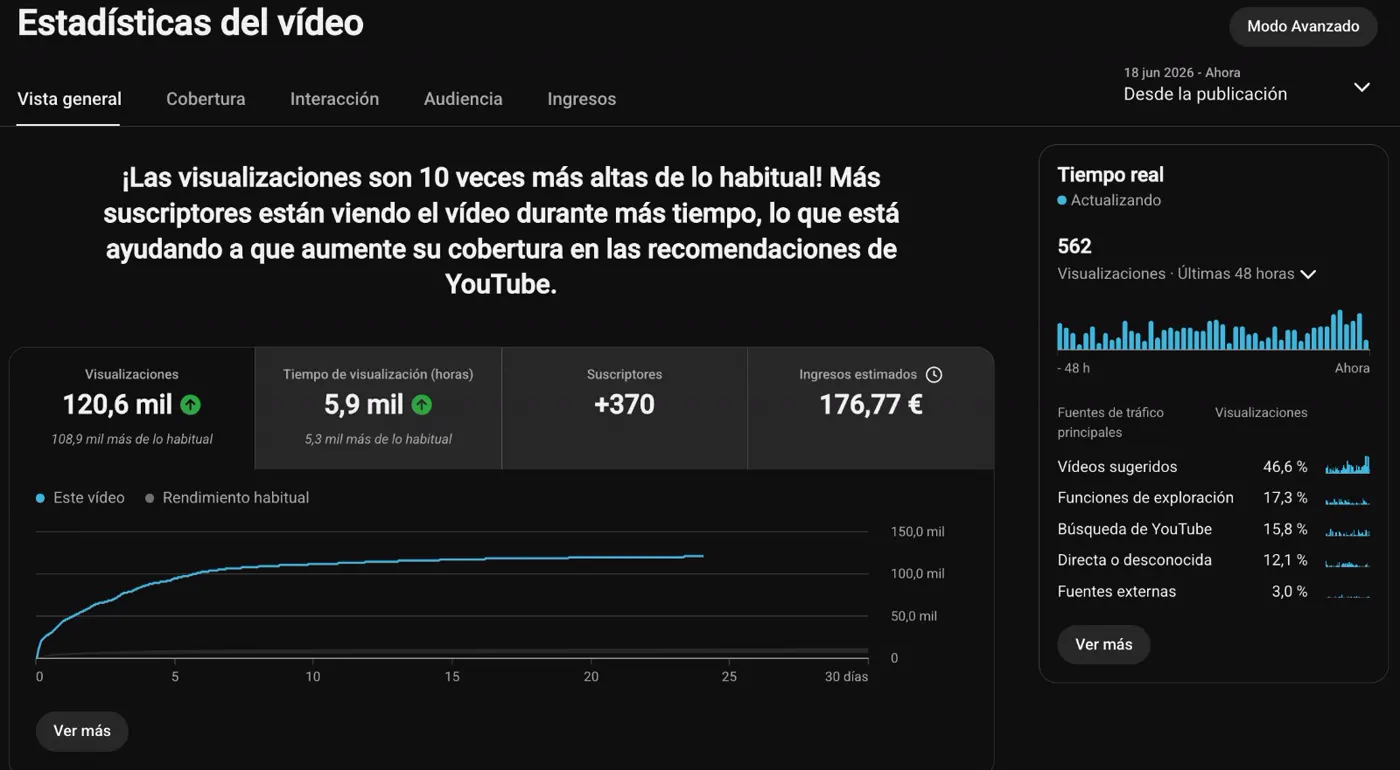
“None of my long-time followers noticed that I was no longer recording myself.”

1,796,116 in the period shown
His channel has worked with his clone since October 2024. It reached 1,796,116 views in the quarter shown.
The 2025 quarter shown. Case published in July 2026.
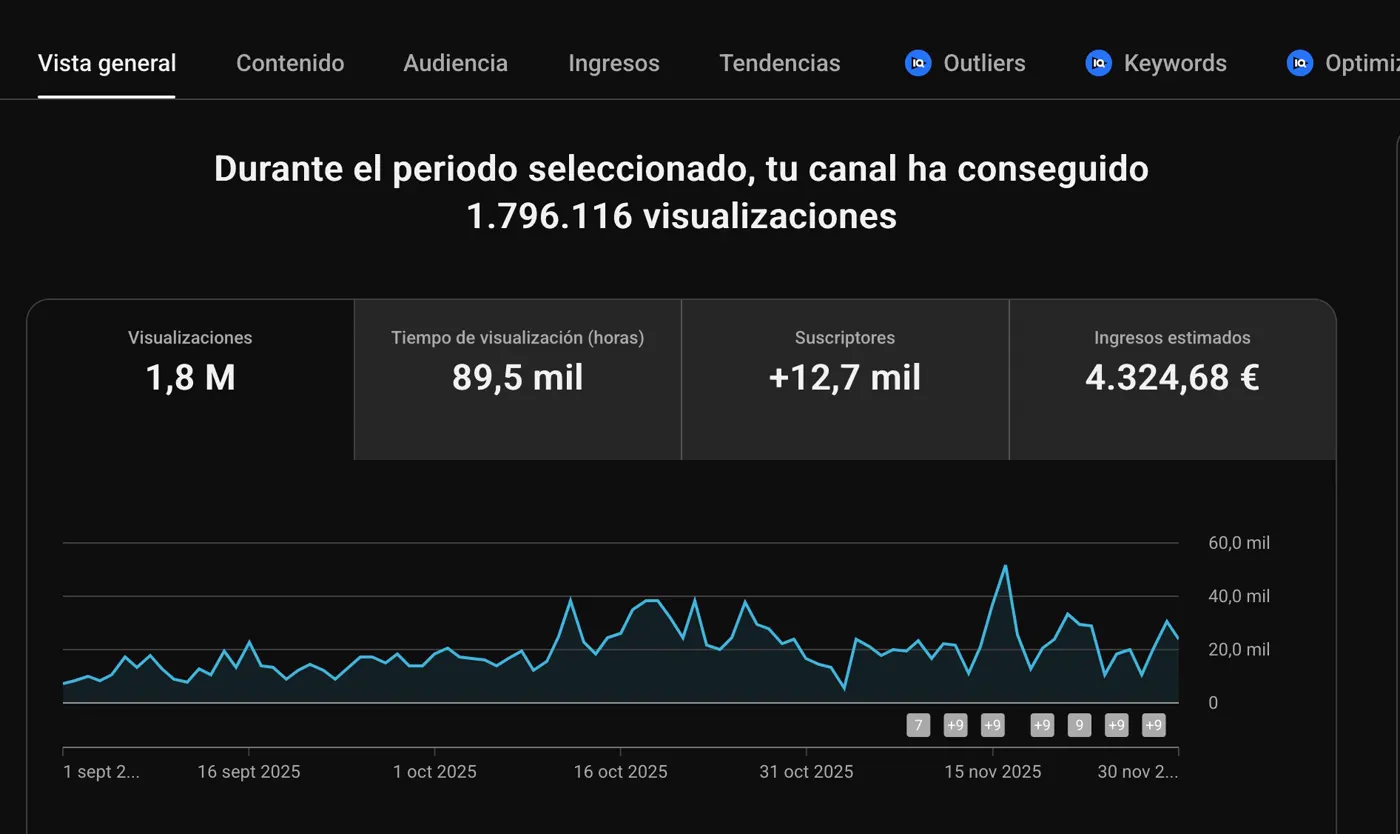
“I stopped recording myself in October 2024.”

Figures and testimonials published in the Crea tu Clon IA offer, July 2026. Testimonials translated from Spanish. View the original cases ↗
Your questions answered
Work on your page structure, content and design with ContentFlow tools. Start with your offer and the action you want visitors to take.
Use your videos as the basis for blog articles, with text, structure and metadata. Build your web presence around expertise you have already shared.
Manage your website domain so your pages become part of your brand presence.
Alongside the article, work on its podcast version, episode and RSS feed. Connect video, blog and audio around your content.
Prepare a clear offer and calls to action. Connect lead capture with sales follow-up and review traffic to guide your next improvements.
You can prepare your banner in one panel and copy its settings to all landing pages in your account. You can also save a specific design to an individual landing page. Customize the text, colors, position and privacy link, then check the preview before saving. Available from Creator.
Your starting point
Start with ContentFlow365. Explore the plans and choose the features you want to put to work.
Find the plan for the way you work.Your identity. Your team. Your marketing.