
 OpusClip
US$15/moStarter
Billed monthlyTurn long videos into clips
Clips connected to the rest of your content
View plan and terms ↗Your identity. Your team. Your marketing.
Strengthen your brand with videos that show what you know. Write scripts, edit long-form videos, design thumbnails and turn your best moments into clips.
Owen · YouTube
Owen helps you publish content that builds trust and introduces your offer. Work on the full video, review your channel statistics and plan your next topic in one app.
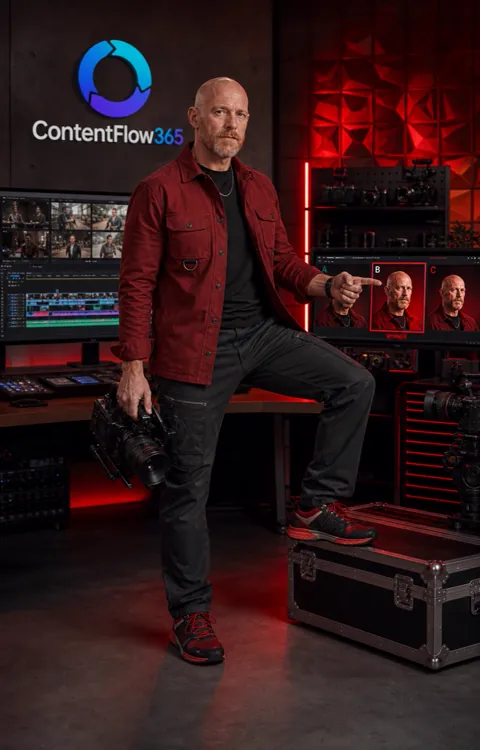
OwenOne specialty in your AI team
Fewer tools. More marketing.
OpusClipTurn long videos into clips
 vidIQ
vidIQFind ideas, prepare titles and analyze your channel
 Adobe Premiere
Assemble and edit videos for your channel
 Adobe After Effects
Add visual effects to your content
Ideas, metrics, editing and effects for your marketing videos. The comparison focuses on those production tasks.
Built-in Editor Pro
AI prepares the assets. Step into the edit and decide how they look, how they sound and when they appear.

Split and trim clips, adjust their position and use snapping to align assets. Avatar and voice tracks preserve their synchronization.
Adjust volume, fade-ins, fade-outs and fade curves. Review audio as you scrub through the timeline.
Combine animations, motion and transitions. Edit each template’s available properties and review the result before rendering.
Trimming, splitting, timeline zoom and undo/redo.
Scale, position, opacity, volume and transitions.
Slides, B-roll, avatar, voice, music and animations in one edit.
Editor Pro abstraction based on its interface and controls. Available properties depend on the clip type and project.
How the work begins
Define the topic, angle and script for your audience.
Work on scenes, voice, editing and thumbnail with your resources.
Prepare clips and review channel data and comments to guide the next content.
Your tools
From the editor to YouTube
Two real introductions from David’s channel. Your identity, your message and production that builds your brand.
16:9 · 45-second introductions · Spanish audioYour on-screen presence, with graphics that reinforce every idea.
¡La VERDADERA razón por la que Bitcoin se está desplomando! [MicroStrategy en problemas] ↗The same voice, the same style and a new story for your audience.
Por qué las ballenas están vendiendo su Bitcoin tan rápido [La Verdad] ↗CUSTOMER STORIES
10× its usual performance
His AI-produced video passed 120,000 views. YouTube highlighted performance ten times above the channel’s usual level.
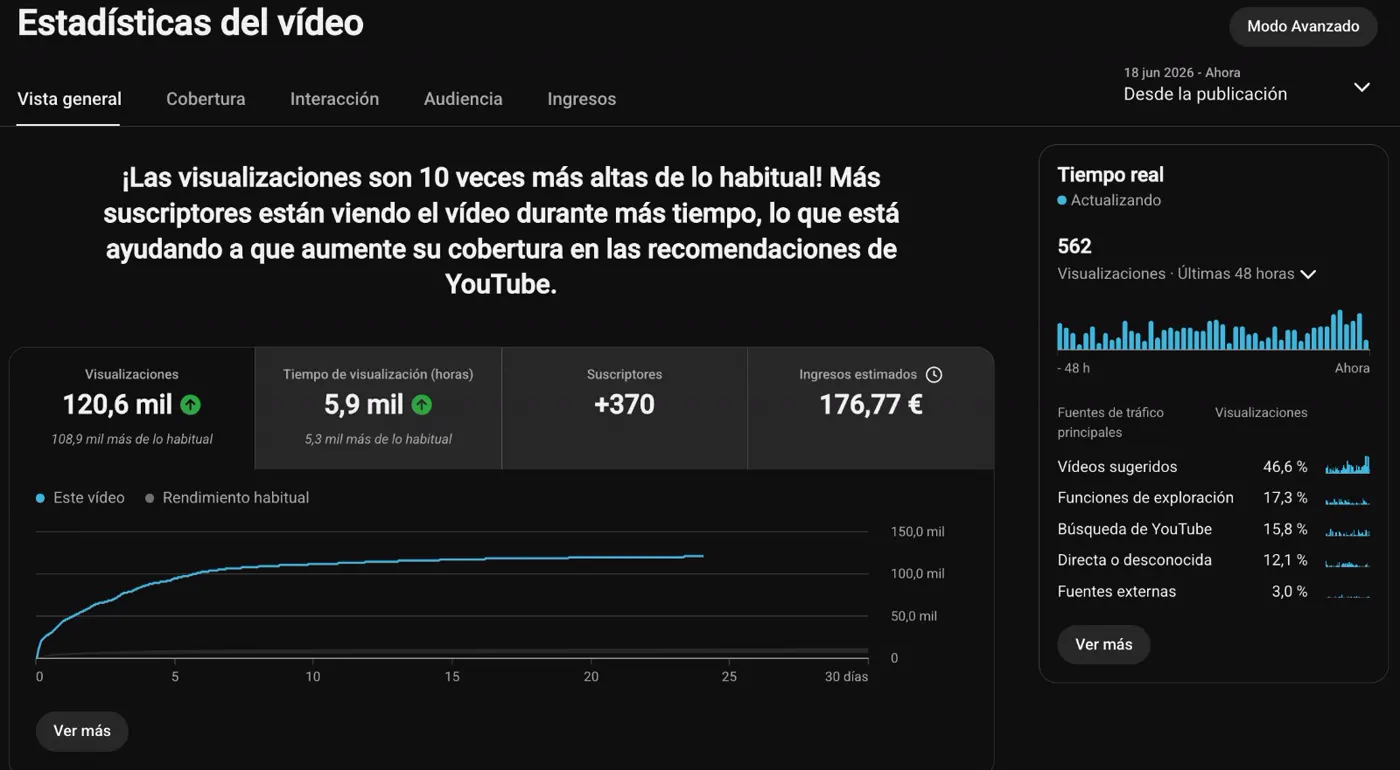
“None of my long-time followers noticed that I was no longer recording myself.”

1,796,116 in the period shown
His channel has worked with his clone since October 2024. It reached 1,796,116 views in the quarter shown.
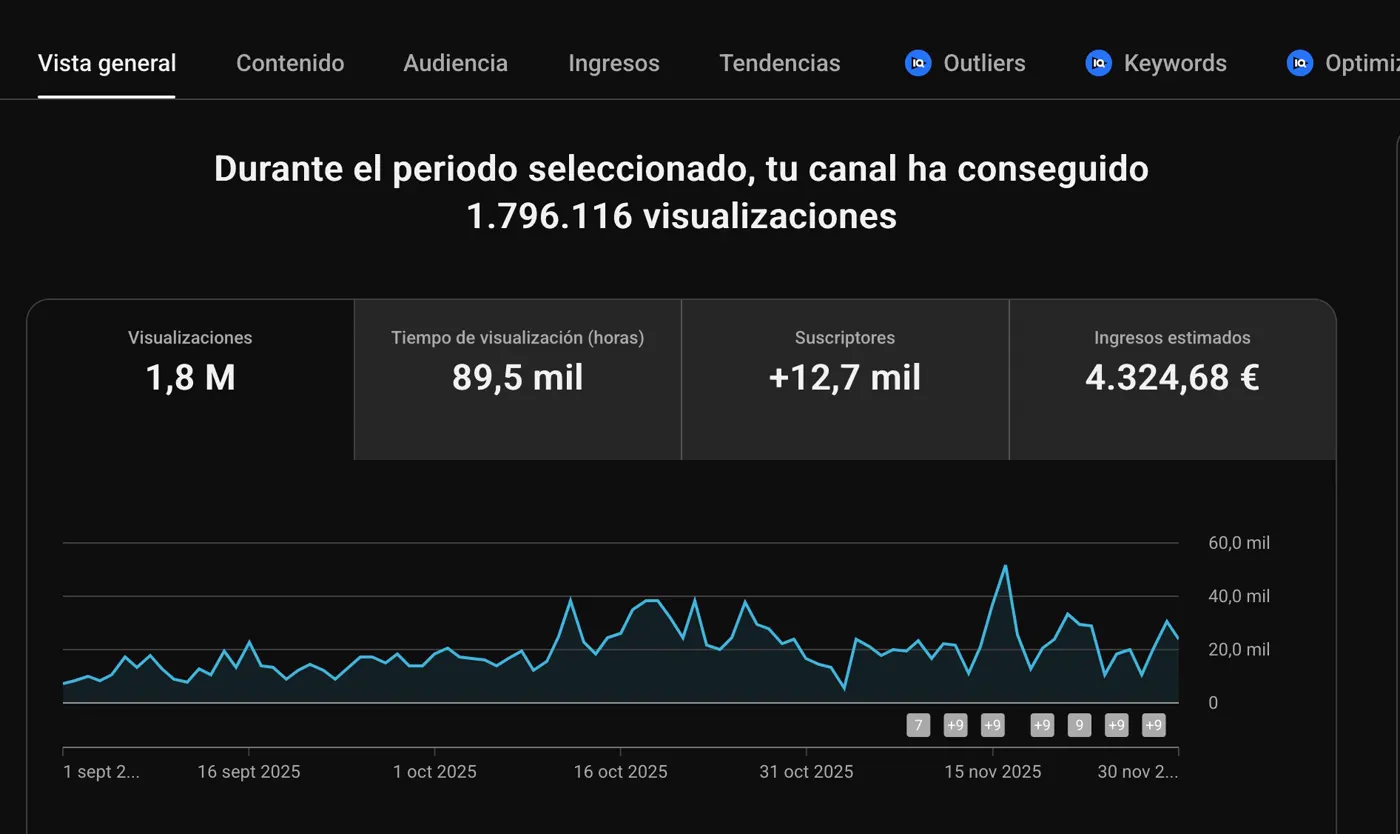
“I stopped recording myself in October 2024.”

Figures and testimonials published in the Crea tu Clon IA offer, July 2026. Testimonials translated from Spanish. View the original cases ↗
In your business
Develop a topic that needs time, structure and examples.
Prepare videos connected to your specialty and audience.
Turn parts of a long video into additional assets.
Your questions answered
Long-form video gives you room to explain your expertise, show what you know and introduce your offer in context. Owen brings together the tools to produce that content with your identity.
Work on scripts, scenes, voice, editing and thumbnails inside ContentFlow. Use the editor to prepare and review content for your channel.
Extract clips and use your video as a starting point for articles, podcasts and other assets. Give one idea a presence across your channels.
Review your channel metrics and comments. Combine that information with new ideas to prepare topics your audience cares about.
Reuse your avatar and voice sources in production. Focus your work on the topic, script and presentation.
Your starting point
Start with ContentFlow365. Explore the plans and choose the features you want to put to work.
Find the plan for the way you work.Your identity. Your team. Your marketing.
![¡La VERDADERA razón por la que Bitcoin se está desplomando! [MicroStrategy en problemas]](https://i.ytimg.com/vi/q6bEVZ8D_7Y/maxresdefault.jpg)
![Por qué las ballenas están vendiendo su Bitcoin tan rápido [La Verdad]](https://i.ytimg.com/vi/gKneoS8OSdw/maxresdefault.jpg)